Invoicing
How to Make an Invoice: Step-by-Step Guide for Small Businesses
A practical, step-by-step guide to making a professional invoice: the details every invoice needs, payment terms, numbering, sales tax and how to get paid faster.
By PilotLedger Team · · 10 min read
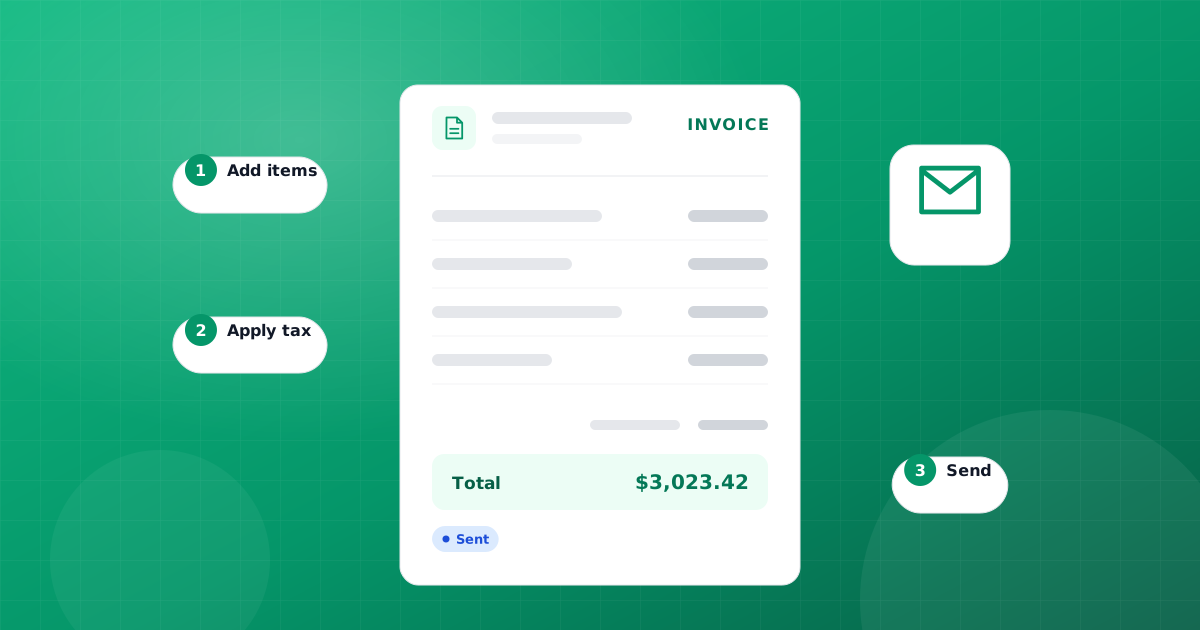
To make an invoice, list your business details and your customer's details, give the invoice a unique number and an issue date, describe each product or service with quantity, rate and line total, add any sales tax or discount, show the total due, and state the payment terms, due date and how to pay. Then send it as a PDF and record it in your books so you can track whether it has been paid. That is the whole process, and the rest of this guide walks through each part in detail.
An invoice is more than a request for money. It is a legal record of a sale, a document your customer's accounts team needs before they can pay you, and the starting point of your own accounts receivable. Getting it right the first time means fewer questions, fewer delays and cleaner books at tax time.
What to include on an invoice
Before the step-by-step, here is the checklist. Most late payments trace back to a missing detail on this list, such as a missing purchase order number or unclear bank details, so treat every row as required unless it is marked optional.
| Element | What to write | Why it matters |
|---|---|---|
| The word "Invoice" | A clear heading at the top | Separates it from a quote or receipt |
| Your business details | Legal or trading name, address, email, phone, tax ID if you have one | Tells the customer who to pay and where to send questions |
| Customer details | Company name, contact person, billing address | Gets the invoice to the right person and approver |
| Invoice number | A unique, sequential number such as INV-0042 | Lets both sides reference the invoice without confusion |
| Issue date | The date you send it | Starts the clock on the payment terms |
| Due date and terms | For example "Net 30, due November 11, 2026" | Removes any guesswork about when to pay |
| Line items | Description, quantity, unit price, line total | Shows exactly what the customer is paying for |
| Subtotal, discounts, tax | Each shown on its own line | Makes the math easy to check |
| Total due | One clear, bold amount with currency | The number your customer actually pays |
| Payment instructions | Bank transfer details, check payee, or other accepted methods | Removes the most common reason for a delay |
| PO number (optional) | Your customer's purchase order reference | Many larger companies cannot pay without it |
| Notes (optional) | Thank-you line, late fee policy, project reference | Sets expectations and builds goodwill |
How to make an invoice, step by step
Here is how to make an invoice from scratch. The steps are the same whether you use a spreadsheet, a free generator or invoicing software.
- Add your business information. Put your business name, logo if you have one, address, email and phone at the top. If you are registered for sales tax or have an employer identification number your customers ask for, include it here.
- Add the customer's billing details. Use the legal company name and the billing address their accounts team uses, which can differ from the office you work with. Add the contact person's name so it reaches the right inbox.
- Assign an invoice number. Use the next number in your sequence. Never reuse a number, even for a cancelled invoice. More on numbering systems below.
- Set the issue date and the due date. The issue date is the day you send it. The due date comes from your payment terms, for example 30 days after the issue date for Net 30.
- List each product or service as a line item. Write a clear description ("Website redesign, phase 1: homepage and 4 inner pages"), the quantity or hours, the unit price and the line total. Vague descriptions like "services" invite questions.
- Calculate the subtotal, then apply discounts and tax. Add the line totals for the subtotal. Subtract any discount, then add sales tax on the taxable amount. Show each figure on its own line.
- Show the total amount due. Make it the most visible number on the page. If the customer already paid a deposit, show the deposit as a deduction and label the remaining figure "Balance due".
- Write the payment terms and instructions. State the terms ("Net 30"), the due date, and exactly how to pay: bank name, account and routing details for transfers, or who to make checks payable to. Add a late fee policy if you have one.
- Add a short note. A one-line thank you, a project reference or a reminder of a PO number is enough.
- Save as a PDF and send it. PDFs look the same on every device and are hard to edit by accident. Email it to the billing contact with a short message that repeats the amount and due date.
- Record the invoice in your books. Log it as income owed to you so it shows up in your receivables. If you skip this step you will lose track of who owes what.
A worked example
Say you are a freelance designer billing a $1,250 website project 50% upfront. Your first invoice, INV-0042, has one line: "Website project deposit (50% of $1,250)" for $625.00, with terms "Due on receipt". When the project is finished you send INV-0043 for the remaining $625.00 on Net 15 terms. Each invoice stands on its own, and together they add up to the agreed fee.
Choosing payment terms: Net 15, Net 30 and due on receipt
Payment terms tell your customer how long they have to pay. Pick terms that fit your cash needs and your customer's habits, then apply them consistently.
| Term | Meaning | Good for |
|---|---|---|
| Due on receipt | Payment expected as soon as the invoice arrives | Deposits, small jobs, new customers |
| Net 7 | Due within 7 days of the invoice date | Freelancers who need fast cash flow |
| Net 15 | Due within 15 days | Most service businesses and small clients |
| Net 30 | Due within 30 days | Larger companies with monthly payment runs |
| Net 60 or 90 | Due within 60 or 90 days | Enterprise or government customers, often their requirement |
| 2/10 Net 30 | 2% discount if paid within 10 days, otherwise full amount in 30 | Encouraging early payment when margins allow |
Shorter terms help your cash flow, but some larger customers only pay on their own schedule no matter what your invoice says. Ask about their payment cycle before you start work, and write the actual due date on the invoice rather than only "Net 30", since a date is harder to misread.
If you charge late fees, say so on the invoice and in your contract before work begins. Check what your state allows, because limits on late fees and interest vary.
How to number your invoices
Every invoice needs a unique number. It helps you and your customer refer to the same document, keeps your records in order and makes gaps easy to spot during an audit or tax review. A few common systems work well:
- Simple sequence: INV-0001, INV-0002, INV-0003. The easiest to manage and the most common.
- Year prefix: 2026-001, 2026-002. Useful if you want to see the year at a glance. Keep the sequence running rather than restarting in a way that could create duplicates.
- Customer code: ACME-001, ACME-002. Handy if you bill a few large clients repeatedly, but combine it with a global sequence so numbers never clash.
Whatever you choose, follow two rules: never reuse a number, and never delete an invoice that was sent. If an invoice was wrong, issue a credit note to cancel all or part of it, then send a corrected invoice with a new number. That keeps a clean audit trail.
Sales tax on invoices
Whether you charge sales tax depends on what you sell and where your customers are. In the US, sales tax is set by states and local governments, and many states tax physical goods but exempt some or all services. Rules change, so check your state's revenue department or ask an accountant before you start charging.
If you do charge it, show it clearly:
- List the subtotal before tax.
- Show the tax rate and the tax amount on a separate line, for example "Sales tax (8.25%): $41.25".
- Mark items that are tax-exempt if the invoice mixes taxable and non-taxable lines.
- Include your sales tax permit or registration number if your state requires it.
Sales tax you collect is not your income. It is money you hold for the state until you file your return, so record it as a liability, not revenue. Accounting software does this automatically when you apply a tax rate to a line, and a tax summary report shows what you owe for each period.
How to send an invoice and follow up
Send the invoice as soon as the work is delivered or the agreed milestone is reached. Every day you wait is a day added to when you get paid.
- Email it as a PDF to the billing contact, copying your day-to-day contact if that helps.
- Use a clear subject line, such as "Invoice INV-0043 from Rivera Design, $625.00 due Oct 27".
- Repeat the essentials in the email body: amount, due date and how to pay.
- Ask the customer to confirm receipt on the first invoice you send them, so you know it reached the right person.
If the due date passes without payment, follow up in steps. A friendly reminder a few days before the due date often prevents lateness altogether. On the day after the due date, send a short, polite note with the invoice attached again. After a week, call or email your contact directly and ask if anything is holding up payment, such as a missing PO number. After 30 days, send a firmer reminder that mentions any late fee policy you agreed on.
Keep every reminder polite and factual. Most late payments are caused by process problems on the customer's side, not bad intent. An aging report that groups unpaid invoices by how overdue they are shows you exactly who to chase first.
Three ways to make an invoice
There is no single right tool. The best choice depends on how many invoices you send and how much bookkeeping you want to do by hand.
1. Use a free invoice template (Excel, Word or Google Sheets)
A template gives you a ready-made layout. You fill in the details, save a copy for each invoice and export to PDF. To make an invoice in Excel, open a template or a blank sheet, set up the header with your details, build a line-item table with columns for description, quantity, rate and amount, use a SUM formula for the subtotal and a simple multiplication for tax, then export to PDF. You can download ready-made layouts from our free invoice templates page instead of building one yourself.
Templates are free and flexible, but every number is typed by hand, nothing tracks which invoices are paid, and it is easy to reuse an invoice number by mistake.
2. Use a free online invoice generator
A generator is the quickest way to make an invoice for free. You fill in a form in your browser and download a clean PDF. Our free invoice generator does the math for you and needs no sign-up. It is ideal when you send a handful of invoices a month. The trade-off is the same as a template: you still need to track payments and record income yourself.
3. Use accounting software
Once you send more than a few invoices a month, accounting software saves time and prevents mistakes. With PilotLedger invoicing you pick items from a catalog, apply tax rates and discounts, use your own numbering format and a branded PDF template, and email the invoice with the PDF attached. You can record full or partial payments, send payment reminders for overdue invoices, and every invoice posts to your general ledger automatically, so your reports stay current. Clients can view invoices and accept quotes in a branded customer portal on the Starter, Growth and Business plans.
To be clear about limits: PilotLedger does not process online card payments on invoices and does not create recurring invoices automatically. Your customer pays by the methods you list, and you record the payment when it arrives.
| Method | Cost | Best for | Main drawback |
|---|---|---|---|
| Template | Free | Occasional invoices, full layout control | Manual math and tracking |
| Free generator | Free | Quick one-off invoices | No payment tracking |
| Accounting software | Free plan to paid plans, see pricing | Regular invoicing and real books | Small learning curve |
Common invoicing mistakes to avoid
- Sending invoices late. Bill as soon as the work is done.
- Leaving out payment instructions. If customers have to ask how to pay, you have added a delay.
- Vague line items. Specific descriptions reduce disputes and approvals that stall.
- Wrong billing contact. Ask who approves invoices before you send the first one.
- Editing a sent invoice. Use a credit note and a new invoice instead, so your records match what the customer received.
- Not recording the invoice. If it is not in your books, you cannot see what is owed. Our small business bookkeeping guide explains how invoicing fits into a weekly routine.
Getting invoicing right is the foundation of healthy cash flow. Pick the method that fits your volume today, and move to software when tracking payments by hand starts taking more time than the work itself.