Free P&L template
Free Profit and Loss Statement Template
See whether your business actually made money. This free profit and loss statement template tracks revenue, costs and expenses month by month and calculates gross profit, operating income and net income for you.
Excel and PDF · No sign-up required
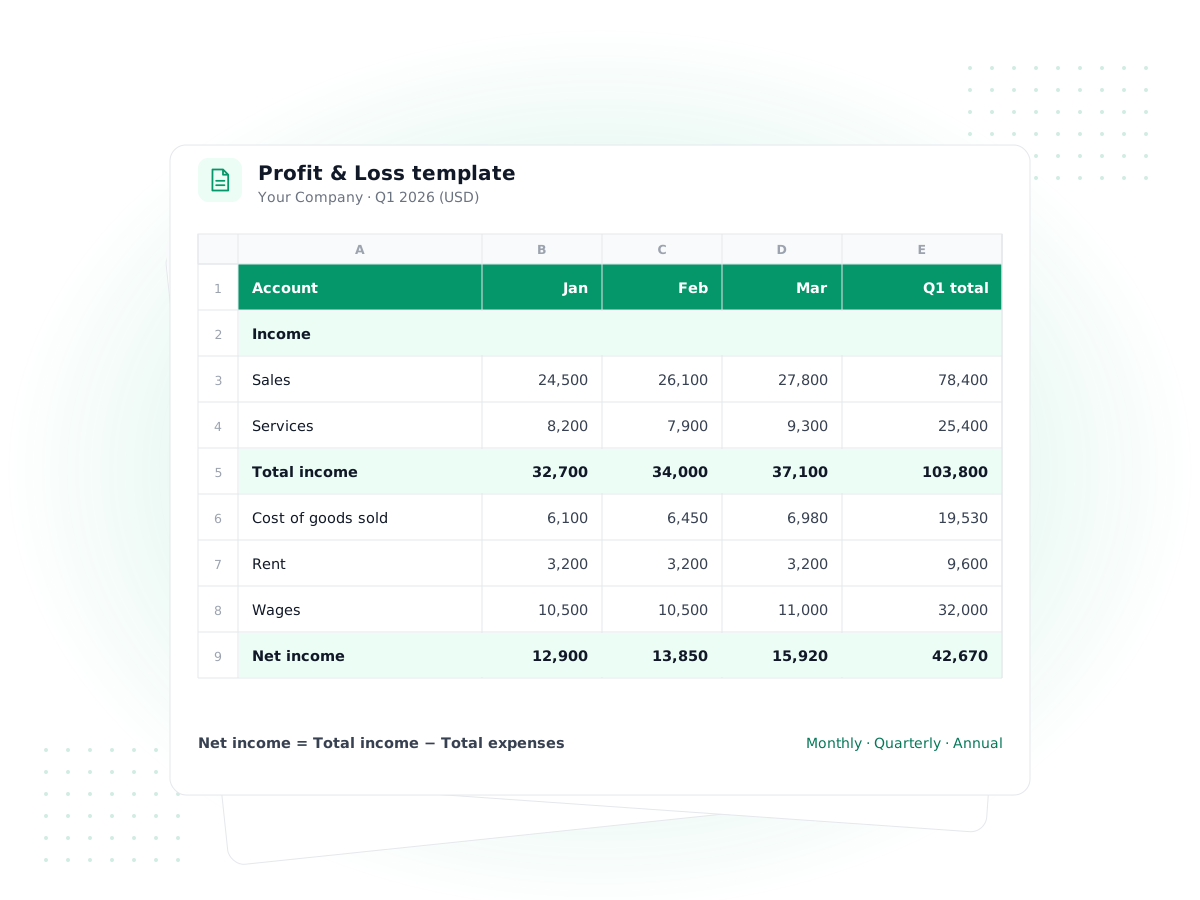
Download your free profit and loss template
The Excel workbook is fully formula-driven: you type the numbers, it does every subtotal, margin and annual roll-up. The PDF is a one-page form for a quick annual P&L on paper.
- Excel (.xlsx)
Monthly profit and loss statement (Excel)
For owners tracking results month by month through the year
Three sheets: a 12-month P&L with revenue, COGS, gross profit, operating expenses, other income and net income; a quarterly and annual summary with % of revenue; and a 'How to use' guide.
Download Excel· 16 KB - PDF
Printable annual P&L form (PDF)
For a one-page yearly summary, a loan file or a quick review
Letter-size form with fillable 'This period' and 'Prior period' columns for every line. You do the arithmetic; the formulas are printed at the bottom.
Download PDF· 56 KB
Free to use for your own business. No sign-up or email required. Excel files also open in Google Sheets, LibreOffice and Apple Numbers.
What a profit and loss statement shows
A profit and loss statement (P&L, also called an income statement) summarizes what your business earned and spent over a period, such as a month, a quarter or a year. It answers one question: did you make a profit? It works top to bottom:
- Revenue: everything you billed or received for your products and services, minus refunds and discounts.
- Cost of goods sold (COGS): the direct costs of what you sold, such as materials, inventory and subcontractors. See cost of goods sold.
- Gross profit: revenue minus COGS. Divide by revenue to get your gross margin.
- Operating expenses: the costs of running the business, like rent, software, insurance, wages and marketing.
- Operating income: gross profit minus operating expenses.
- Other income and expenses: interest earned, interest paid on loans and one-off items.
- Net income: the bottom line after everything, including income tax. See net income.
A P&L is different from a balance sheet, which shows what you own and owe on one date, and from a cash flow statement, which tracks money moving in and out of the bank.
How to use this profit and loss statement template
- Set up the header. Type your business name in cell A2 and the first month of your year in B3. The 12 month columns update automatically, so a July–June fiscal year works too.
- Pick a basis and stick to it. On cash basis, record money when it lands in or leaves your account. On an accrual basis, record sales when you invoice and costs when you're billed. Mixing the two makes months impossible to compare.
- Enter revenue. Use the pale yellow cells. Put refunds, returns and discounts on their own line as a positive number; the formula subtracts them.
- Enter COGS. Only costs directly tied to what you sold. A consultant with no direct costs can leave this section blank, and gross profit will equal revenue.
- Enter operating expenses. Rename the lines to match your business. To add a line, insert a row inside the section above its total so the SUM formula picks it up.
- Enter other items and tax. Interest, one-off gains or losses, and income tax expense.
- Read the results. Gross profit, operating income, net income and both margins calculate for every month and the year. The "Annual summary" sheet rolls everything into quarters and a full year, with each line as a percentage of revenue.
Enter every number as a positive amount. The template already knows which lines to add and which to subtract.
Worked example: a small online shop
Here's one month for a small business selling handmade candles online, as the profit and loss statement Excel template would total it:
| Line | Amount |
|---|---|
| Sales of products | $8,400 |
| Less refunds and discounts | −$350 |
| Total revenue | $8,050 |
| Materials and inventory sold | $2,415 |
| Freight and shipping in | $310 |
| Total COGS | $2,725 |
| Gross profit (66.1% margin) | $5,325 |
| Advertising, software, payment fees, rent and other expenses | $3,120 |
| Operating income | $2,205 |
| Interest expense on equipment loan | −$85 |
| Net income before tax | $2,120 |
The gross margin tells the owner that pricing covers product costs comfortably; the operating expenses are where most of the money goes. Tracked for 12 months, the template shows whether that holds through slow and busy seasons.
Choosing your expense categories
The template comes with common expense lines, but the best categories are the ones that match how you'll file your taxes and make decisions. Keep them broad enough that each month has a handful of entries per line, and specific enough that a jump in one line tells you something. If you already use a chart of accounts or your accountant gave you a category list, rename the template's lines to match it, so the year-end handover is a copy and paste rather than a re-sort.
Reading your P&L: three numbers to watch
Once a few months are filled in, the template gives you more than a bottom line. Three figures are worth checking every month:
- Gross margin %. If it slips while sales hold steady, your direct costs are rising faster than your prices. That's usually the first sign you need to reprice or renegotiate with a supplier.
- Operating expenses as a share of revenue. The "Annual summary" sheet shows every line as a percentage of revenue. A cost that creeps from 4% to 8% of sales deserves a closer look, even if the dollar amount still feels small.
- Net profit margin %. This is what's left from each dollar of sales after everything. Compare the same month across years rather than one month with the next, because most businesses have seasonal swings.
Use the "Annual summary" sheet at year end, or when a lender, landlord or partner asks how the business is doing. It rolls the 12 months into four quarters and a full-year total without any extra work, so the figures always match the monthly sheet.
Common mistakes on a homemade P&L
- Counting owner withdrawals as expenses. Money you take out for yourself as a sole proprietor is an owner's draw, not an expense, and doesn't belong on the P&L.
- Putting loan repayments in expenses. Only the interest is an expense. The principal reduces a liability.
- Expensing big equipment in one month. Longer-lived assets are usually spread over their useful life through depreciation. Ask your accountant how to treat them for tax.
- Leaving out small, regular costs. Payment processing fees and subscriptions add up. Pull them from your bank statements.
- Mixing personal and business spending. A separate business bank account makes the P&L far easier to fill in and trust.
When a spreadsheet P&L stops being enough
A free profit and loss statement template is a good way to understand your numbers. Its weakness is that it's only as accurate as what you type, and nothing checks it against your invoices, bills or bank balance. Each month you re-total transactions from somewhere else, and a missed receipt quietly changes your profit.
Financial reporting software builds the P&L from the transactions themselves. In PilotLedger, invoices, bills, expenses and payments post to a double-entry general ledger, so the Profit & Loss report always ties to your Balance Sheet and Trial Balance. You can run it for any date range and export it. When you reconcile your bank accounts statement by statement, you know nothing is missing. PilotLedger doesn't connect to bank feeds, so transactions are entered or imported by you rather than pulled from the bank automatically. For a deeper walk-through of each line, read what is a profit and loss statement.
This template is general information, not tax or accounting advice.
Frequently asked questions
What is the difference between a profit and loss statement and an income statement?
Nothing, apart from the name. "Profit and loss statement," "P&L," "income statement" and "statement of operations" all describe the same report: revenue minus costs and expenses over a period, ending in net income. Small businesses tend to say P&L; accountants and public companies more often say income statement.
Can I use this profit and loss template in Google Sheets?
Yes. Upload the .xlsx file to Google Drive and open it with Google Sheets. All formulas, including the month headers, totals, margins and the annual summary sheet, keep working. It also opens in LibreOffice Calc and Apple Numbers.
Should I use cash or accrual for my P&L?
Many very small businesses use cash basis because it matches the bank account and is simpler. Accrual basis gives a truer picture of each month when you invoice customers or receive bills on credit. Either works in the template; the key is to use one method all year. Ask your accountant which you must use for tax.
Is a profit and loss statement the same as a tax return?
No. A P&L is a management report; a tax return follows tax rules that can treat some items differently, such as meals, depreciation and owner pay. A clean P&L makes your tax return much easier to prepare, but your accountant will adjust some figures. This template is not tax advice.
How often should I prepare a profit and loss statement?
Monthly is a good rhythm for most small businesses. It's frequent enough to spot problems, such as a falling margin or a cost that has crept up, while there's still time to act. The monthly template also builds your quarterly and annual totals automatically.
Do lenders accept a spreadsheet P&L?
Some small lenders accept an owner-prepared P&L alongside bank statements and tax returns, especially for small loans. Others ask for statements prepared by accounting software or an accountant. Check what your lender needs. Our business loan calculator helps you estimate repayments first.
Keep exploring
Feature
Financial Reports
P&L, balance sheet, cash flow and more
Guide
What Is a Profit and Loss Statement? Example, Format and Formulas
Feature
Double-Entry Accounting
Chart of accounts, journals, general ledger
Guide
Small Business Bookkeeping Guide
Free template
Invoice Templates
Free Excel and PDF invoices
Free tool
Business Loan Calculator
Monthly payment and total interest
Let your P&L build itself
Record invoices, bills and expenses in PilotLedger and run a Profit & Loss report for any period. Free plan, no credit card required.