Cloud accounting for small business
Accounting software for small business, built on a real ledger
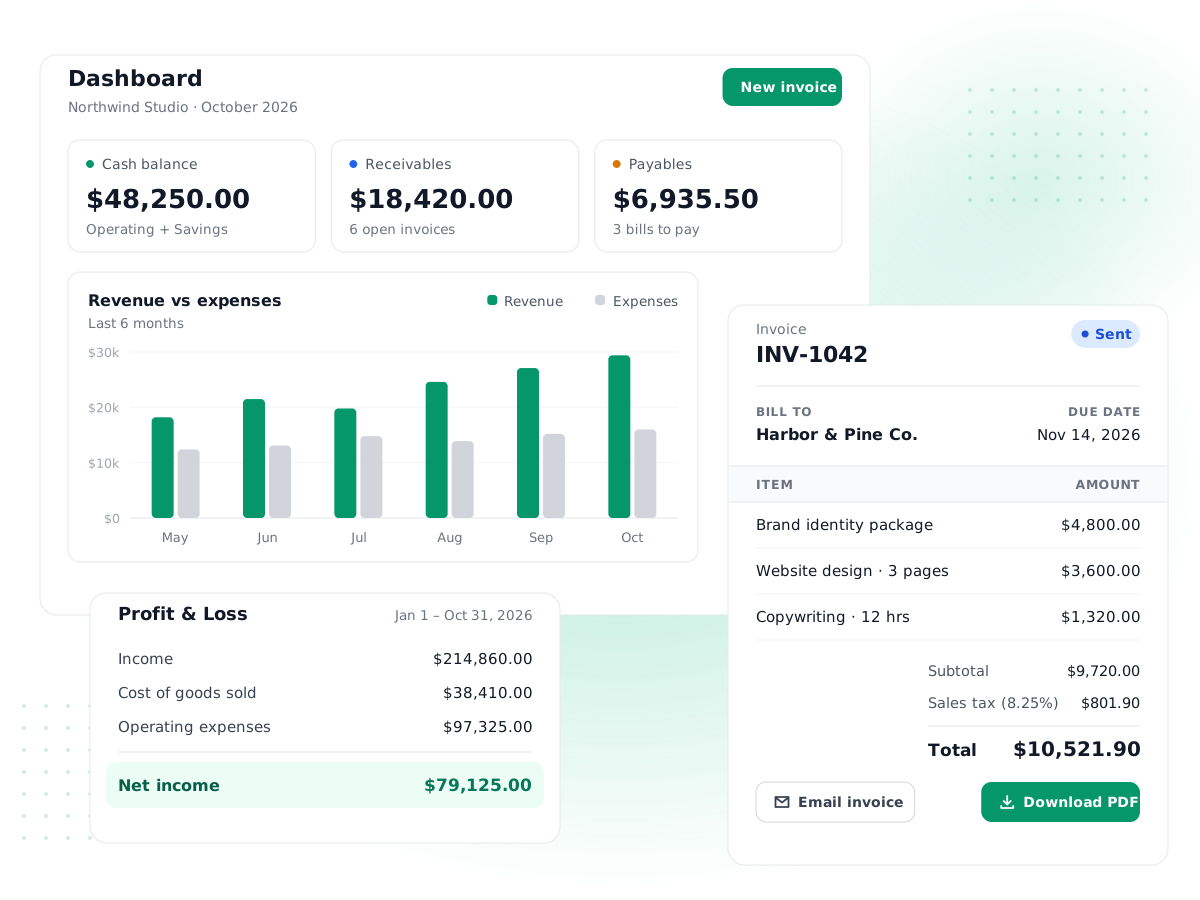
PilotLedger is online accounting software for freelancers and small teams. Send invoices, record bills and expenses, reconcile your bank and run a profit and loss report, with every transaction posted to a proper double-entry general ledger.
Free plan · No credit card required · Paid plans from $14.99/month
- Free plan, no cardStart on the Free plan without entering a credit card.
- 7-day money-backPaid plans come with a 7-day money-back guarantee.
- Real double-entryEvery transaction posts balanced debits and credits.
- Secure by defaultHTTPS everywhere, bcrypt-hashed passwords, audit log.
Everything a small business needs
Business accounting software for small business, from the first quote to the year-end balance sheet.
Invoicing
Branded invoices, reminders and payments
Quotes & Estimates
Send quotes, convert to invoices in a click
Expense Tracking
Record and categorize every expense
Bills & Payables
Approve bills and pay vendors on time
Bank Reconciliation
Match your books to the bank statement
Financial Reports
P&L, balance sheet, cash flow and more
Double-Entry Accounting
Chart of accounts, journals, general ledger
Multi-Currency
Bill and pay in any currency
Customer Portal
Clients view invoices and accept quotes
Inventory
Track stock and cost of goods sold
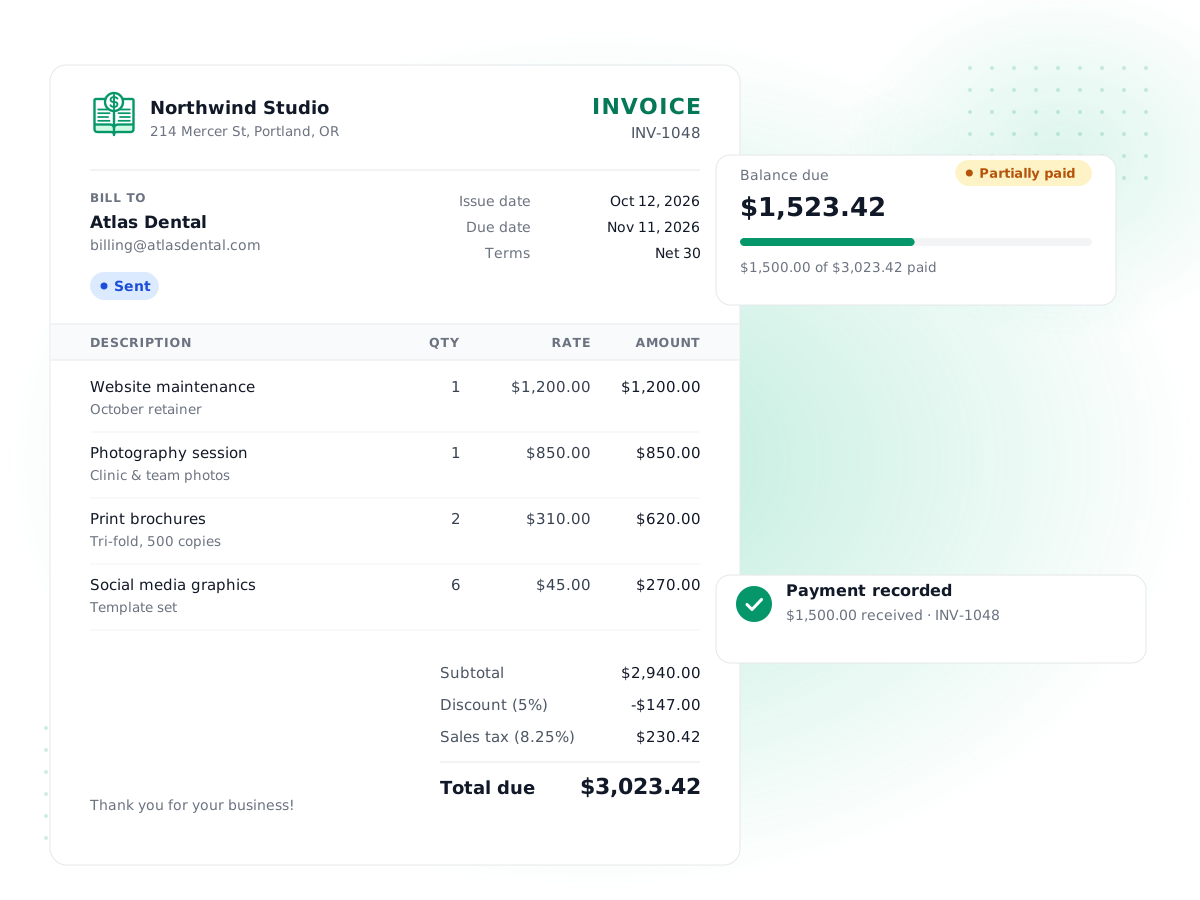
Invoices that post themselves to the books
Build an invoice from your item catalog, add tax and discounts, and email it with a branded PDF. When a customer pays half of a $1,250 website project upfront, record the partial payment and the balance due updates on its own.
- Branded PDF templates and editable email templates
- Payment reminders for sent and overdue invoices
- Quotes that convert to invoices, plus credit notes and refunds
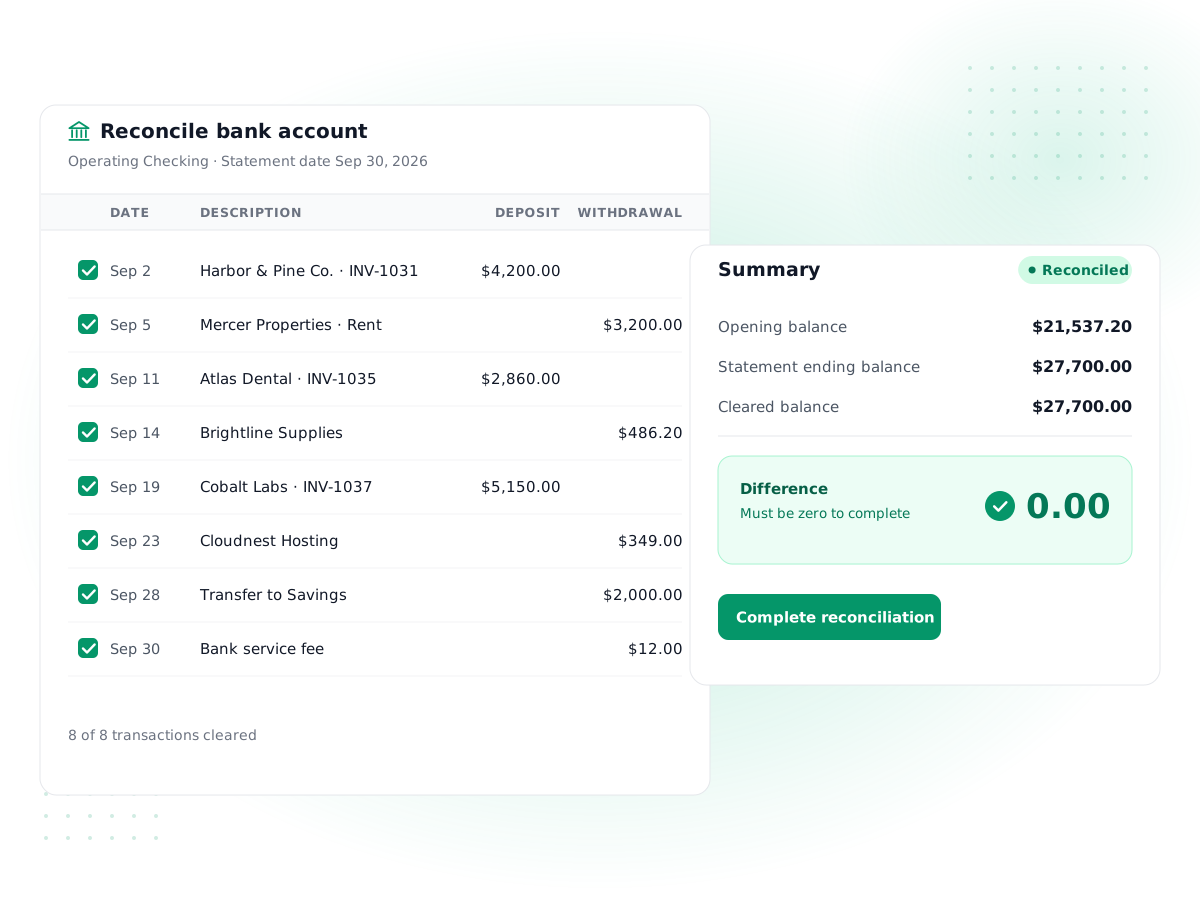
Bank reconciliation, one statement at a time
Open your bank statement, enter its ending balance and tick off the transactions that cleared. PilotLedger shows the difference until it reaches zero, so you know your cash balance in the books matches the bank. Included from the Starter plan ($14.99/month).
- Bank and cash accounts, with transfers between them
- Reconcile statement by statement and keep a history
- Lock dates stop anyone changing a closed period (Business plan)
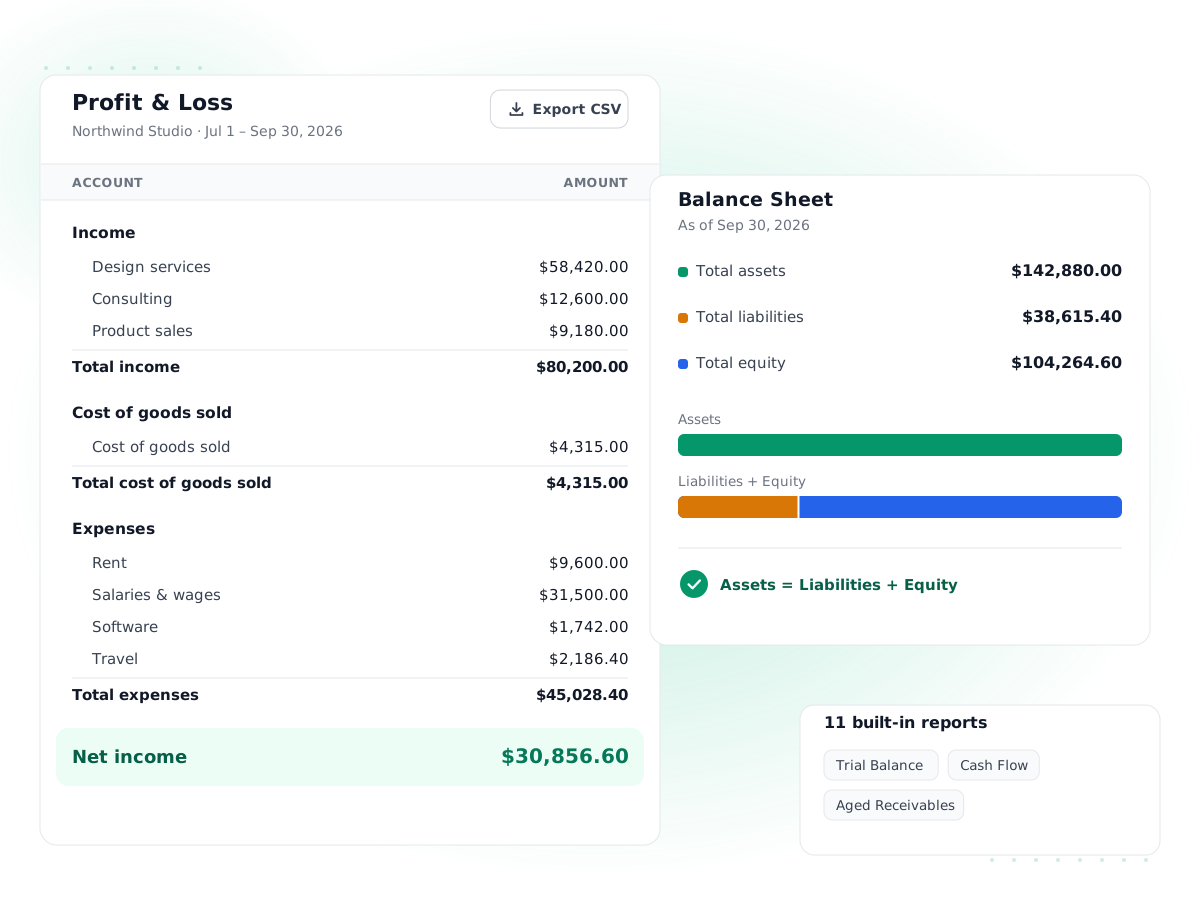
Financial reports you can hand to an accountant
Because the ledger is double-entry, the reports agree with each other. Run a profit and loss for the quarter, check the balance sheet, then drill into the general ledger behind any number.
- 11 reports, from Profit & Loss to Aged Receivables
- Trial Balance and General Ledger for your accountant
- Export reports to share or keep for your records
Who PilotLedger is for
Small businesses that want correct books without hiring a full-time accountant.
Freelancers and consultants
Send quotes and invoices, record expenses, and see what you actually earned this year. The Free plan covers up to 10 invoices a month.
Service businesses
Agencies, trades and studios can track who owes what with Aged Receivables, pay vendors on time and invite a bookkeeper as a user.
Product sellers with inventory
Turn on stock tracking for an item and PilotLedger records cost of goods sold automatically each time you invoice it. See inventory.
Businesses that bill in other currencies
From the Growth plan ($34.99/month), invoice in euros or pounds, use daily exchange rates and record exchange gains and losses, where QuickBooks asks around $85 and Xero around $90. See multi-currency.
How PilotLedger compares
Starting prices side by side. Competitors are stronger in some areas, and our comparison pages say where.
| Product | Starting list price | Worth knowing | Comparison |
|---|---|---|---|
| PilotLedger | From $0 (free plan); paid from $14.99/mo | Free plan, no credit card; multi-currency from $34.99/mo (Growth) | See pricing |
| QuickBooks Online | From $38/mo | Bank feeds, payroll add-ons, large app ecosystem | Compare |
| FreshBooks | From $23/mo | Strong invoicing and time tracking | Compare |
| Wave | Free; Pro from $19/mo | Free starter plan, bank import on Pro | Compare |
Competitor figures are regular monthly list prices as of October 2026, billed monthly, excluding introductory discounts. Check each vendor's site for current pricing.
Getting started in 4 steps
- 1
Create your free account
Sign up with your email. No credit card is needed for the Free plan.
- 2
Set up your company
Add your business details and base currency. A standard chart of accounts is ready to use and edit.
- 3
Add opening balances
Enter what you owned and owed on your start date so your balance sheet starts from the right place.
- 4
Send your first invoice
Add a customer, create an invoice and email it. It posts to accounts receivable straight away.
What accounting software for small business should actually do
Good accounting software for small business does four jobs. It records what you sell and what you buy, it keeps track of who owes you and who you owe, it tells you how much cash you have, and it produces reports you can trust at tax time. Everything else is a convenience layered on top of those four jobs.
That sounds obvious, but many tools started as invoicing apps and added accounting later. If the software can make an invoice but can't tell you your balance sheet, you will end up rebuilding your books in a spreadsheet every year, or paying an accountant to do it. Cloud accounting software for small business should make the correct record the default, not an extra step.
Cash basis vs accrual basis, in plain English
There are two ways to decide when income and expenses count.
- Cash basis records income when money arrives and expenses when money leaves. It is simple and many very small businesses use it for taxes. See cash-basis accounting.
- Accrual basis records income when you earn it (when you issue the invoice) and expenses when you incur them (when the bill arrives), whether or not money has moved yet. See accrual accounting.
Say you finish a $4,000 project on December 20 and the client pays on January 10. On a cash basis that income belongs to January. On an accrual basis it belongs to December, and the $4,000 sits in accounts receivable until it is paid.
PilotLedger works on the accrual basis: invoices post to accounts receivable and bills post to accounts payable as soon as you approve them. That gives you a truer picture of profit month to month. If you file taxes on a cash basis, your accountant can make that adjustment from the reports; PilotLedger does not have a cash-basis report switch today.
Why double-entry matters, even if you never say "debit"
In double-entry accounting, every transaction touches at least two accounts and the two sides always balance. When a customer pays a $500 invoice, cash goes up by $500 and accounts receivable goes down by $500. Nothing appears or disappears without a matching entry.
This is what makes the numbers trustworthy. If the ledger is out of balance, something is wrong, and you find out immediately instead of at year end. It is also why a profit and loss statement, a balance sheet and a cash flow statement all agree with each other.
You don't have to type debits and credits to get these benefits. Creating an invoice, recording a bill or reconciling a bank statement in PilotLedger writes the journal entry for you. If you or your bookkeeper want to post a manual journal entry, you can, and PilotLedger will refuse it unless it balances. New to the idea? Our guide to double-entry accounting basics walks through examples.
How PilotLedger fits a small business
PilotLedger is double entry accounting software that tries to stay out of your way. The everyday screens talk about customers, invoices, bills and bank accounts. The accounting screens, such as the chart of accounts, journal entries and opening balances, are there on every plan when you or your accountant need them, and the Business plan adds a lock date and period-close checklist.
A few things worth knowing before you choose:
- Team access: invite an accountant or bookkeeper as a user, with roles and permissions that control what each person can see and change. Every change is recorded in the audit log.
- Customer portal: on the Starter, Growth and Business plans (from $14.99/month) your customers can sign in to view invoices, download PDFs and accept quotes. See the customer portal.
- Bills and payables: record and approve vendor bills, pay them in full or in part, and track vendor credits. See bills and accounts payable.
- Your data stays yours: reports export, and items can be imported and exported as CSV.
What PilotLedger doesn't do yet
We would rather you know now than find out after you sign up. PilotLedger does not currently offer:
- Automatic bank feeds. You record transactions in your bank accounts yourself, then reconcile against your statement.
- Payroll. Use a dedicated payroll provider and record the payroll journal in PilotLedger.
- Online card payments on invoices. Customers pay you the way they do today, and you record the payment.
- Recurring or automatic invoices. Each invoice is created when you need it.
- Mobile apps, receipt scanning, time tracking or mileage tracking.
If any of those is essential for you today, a tool such as QuickBooks Online or Xero may suit you better, and our QuickBooks alternative page is honest about where it is stronger. If what you need most is clean, correct books at a fair price, see the full feature list or compare plans and pricing.
Frequently asked questions
What is the best accounting software for a small business?
The best choice depends on what you need most. If you want correct double-entry books, invoicing, bills, bank reconciliation and standard reports at a low price, PilotLedger is a good fit. If you need automatic bank feeds, payroll or a large app marketplace, QuickBooks Online or Xero may suit you better. See our comparison pages.
Is PilotLedger free?
Yes, there is a Free plan for 1 user with up to 10 invoices a month and unlimited customers, and it needs no credit card. Paid plans start at $14.99 a month (Starter), which removes the invoice cap and adds the customer portal and bank reconciliation. Multi-currency comes from the Growth plan ($34.99/month), and period close with a lock date on Business. See pricing for current plans.
Is PilotLedger real double-entry accounting software?
Yes. Every invoice, bill, payment, expense and transfer posts balanced debits and credits to a general ledger. You get an editable chart of accounts, manual journal entries that must balance, a trial balance and a general ledger report. Learn more about double-entry accounting.
Does PilotLedger connect to my bank?
Not yet. PilotLedger does not offer automatic bank feeds. You record transactions in your bank and cash accounts, then use bank reconciliation, included from the Starter plan ($14.99/month), to match the books to each bank statement. Many small businesses reconcile monthly this way.
Can my accountant or bookkeeper use PilotLedger?
Yes. Invite your accountant or bookkeeper as a user in your organization and assign a role that controls what they can see and change. They can run the trial balance, general ledger and other reports, post journal entries and use the period-close tools.
Is my financial data secure?
PilotLedger uses HTTPS everywhere, hashes passwords with bcrypt, validates sessions on the server and records changes in an audit log. Roles and permissions limit what each user can do. PilotLedger does not currently hold a SOC 2 certification.
Can I move from QuickBooks, Wave or a spreadsheet?
Yes. Most businesses pick a start date, enter opening balances from their last balance sheet, import items by CSV and add open invoices and bills. There is no one-click importer from other software today. Our small business bookkeeping guide covers a clean switch.
Try PilotLedger free
Set up your company and send your first invoice today. Free plan, no credit card, and a 7-day money-back guarantee if you upgrade.