Bookkeeping
Small Business Bookkeeping: A Complete Guide for Owners
Everything a small business owner needs to keep clean books: setup, cash vs accrual, a weekly to yearly routine, reconciliation, key reports and choosing software.
By PilotLedger Team · · 10 min read
Small business bookkeeping is the routine of recording every sale, expense, payment and transfer your business makes, sorting each one into the right account, and checking those records against your bank statements so they are complete and accurate. Done weekly, it takes an hour or two. It gives you reliable reports, keeps you ready for tax season, and shows you whether the business is actually making money. This guide covers how to set up your books, the routine to follow, and how to choose bookkeeping software.
Bookkeeping and accounting overlap, but they are not the same job. Bookkeeping is the daily recording and organizing. Accounting uses those records to prepare financial statements, plan taxes and advise on decisions. Most owners can handle their own bookkeeping with good habits and decent software, and bring in an accountant for tax returns and year-end review.
Why bookkeeping matters for a small business
It is tempting to leave the books until tax time. That usually costs more than it saves. Good bookkeeping gives you:
- Accurate tax returns. Every deductible expense is recorded and categorized, so you do not overpay or scramble for receipts.
- Real cash visibility. You know who owes you, what you owe and how much cash you will have next month.
- Better decisions. A monthly profit and loss statement shows which products, services or customers make money.
- Easier financing. Lenders and investors ask for financial statements. Clean books make those requests simple.
- Fewer surprises. Errors, duplicate payments and unusual charges show up within weeks instead of months.
Bookkeeping basics: key terms to know
You do not need an accounting degree, but a handful of terms come up constantly.
| Term | Plain-English meaning |
|---|---|
| Asset | Something the business owns, such as cash, equipment or money customers owe you |
| Liability | Something the business owes, such as unpaid bills, loans or sales tax collected |
| Equity | The owner's stake: assets minus liabilities |
| Revenue | Income from selling goods or services |
| Expense | Costs of running the business |
| Accounts receivable | Money customers owe you for invoices not yet paid |
| Accounts payable | Money you owe vendors for bills not yet paid |
| General ledger | The complete record of every transaction, organized by account |
Most modern bookkeeping uses double-entry accounting, where every transaction is recorded in at least two accounts so the books always balance. Good software handles the debits and credits for you.
How to set up your small business books
A solid setup takes an afternoon and saves you hours every month afterwards.
1. Open a separate business bank account
Mixing personal and business money is the most common bookkeeping problem. Open a dedicated business checking account, and a business credit card if you use one, and run every business transaction through them. When you need to take money out for yourself, transfer it and record it as an owner's draw (or salary, depending on your business structure).
2. Choose cash or accrual accounting
There are two basic methods for when you record income and expenses:
| Cash basis | Accrual basis | |
|---|---|---|
| Income recorded | When money arrives | When you earn it (usually when you invoice) |
| Expenses recorded | When you pay | When you incur them (usually when you receive the bill) |
| Best for | Very small, simple businesses | Businesses with invoices, bills, inventory or plans to grow |
| Shows | Cash movement | True profitability for the period |
Cash-basis accounting is simpler. Accrual accounting gives a more accurate picture when customers pay on credit, and larger businesses are generally required to use it for tax purposes. Ask your accountant which fits, and stick with it, since switching methods for tax purposes can require permission from the IRS.
3. Set up your chart of accounts
Your chart of accounts is the list of categories every transaction is sorted into: bank accounts, receivables, equipment, loans, sales, rent, software and so on. Start with a standard small-business list and add accounts only when you need more detail. Keep expense categories close to the ones on your tax return to make filing easier.
4. Enter opening balances
If your business was already operating, record opening balances as of the start date: what is in each bank account, what customers owe, what you owe vendors, and the value of any loans or equipment. This gives your books a correct starting point.
5. Decide how you will store receipts
Keep a copy of every receipt and bill, either in a folder or a cloud drive organized by month. The IRS generally expects you to keep records supporting your tax return for at least three years, and longer in some situations.
Your bookkeeping routine: weekly, monthly and yearly checklist
Consistency matters more than perfection. A short weekly session is far easier than rebuilding a year of records in April.
Weekly (about 1 hour)
- Send invoices for work completed and record them in your books.
- Record payments received and match them to the right invoices.
- Enter new bills from vendors and schedule payments by due date.
- Record expenses paid by card or cash, with the right category.
- Review unpaid invoices and send reminders for anything overdue.
- File receipts for the week.
Monthly (about 2 to 3 hours)
- Reconcile every bank and credit card account against its statement.
- Review the aging report for receivables and payables.
- Run your profit and loss statement and balance sheet, and compare with last month.
- Record any journal entries for items like depreciation, loan interest or accrued expenses.
- Set aside money for estimated taxes and sales tax due.
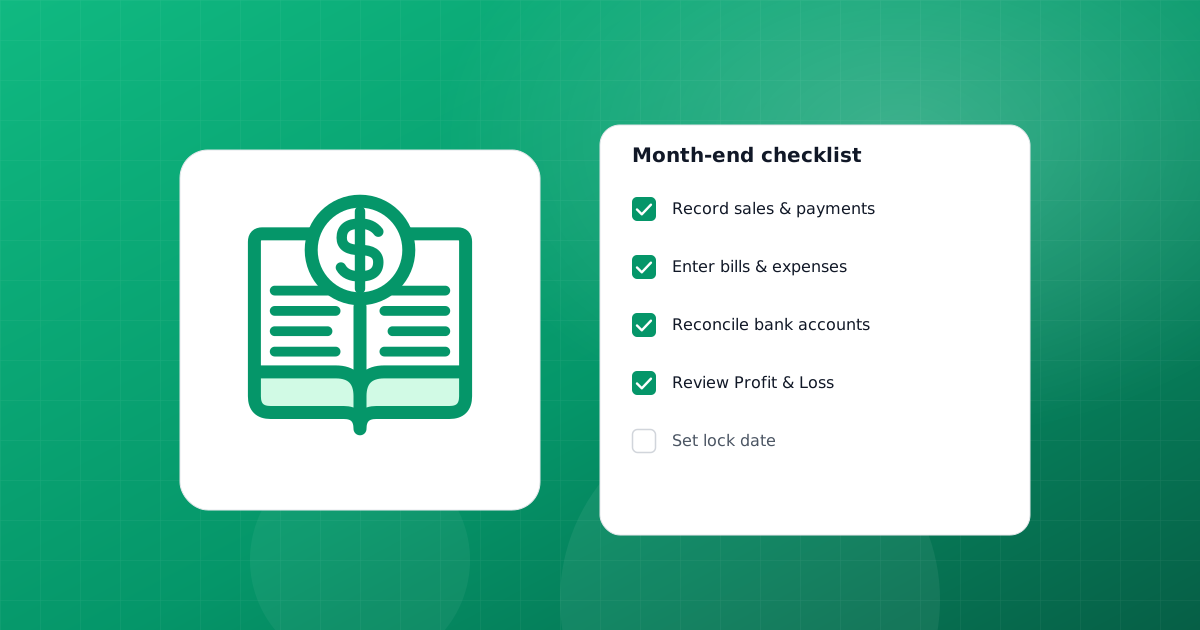
- Once the month is final, set a lock date so nobody changes closed periods by accident.
Quarterly
- File and pay sales tax if your state requires quarterly returns.
- Pay estimated income taxes if they apply to you.
- Review your cash flow statement and update your forecast.
Yearly
- Reconcile all accounts through December 31 (or your fiscal year end).
- Count inventory if you carry stock, and compare with your records.
- Review fixed assets and record depreciation.
- Prepare 1099 forms for contractors you paid where required.
- Run a trial balance and full-year reports, and send them to your accountant.
- Close the year with a lock date once your accountant has finished adjustments.
How to record the most common transactions
Most of a small business's bookkeeping comes down to a handful of transaction types. Get these right and the rest is detail.
| Transaction | What to record | Effect on the books |
|---|---|---|
| You send an invoice | The invoice, with customer, items, tax and due date | Receivables and revenue go up (accrual basis) |
| A customer pays | The payment, matched to the invoice it settles | Cash goes up, receivables go down |
| A vendor bill arrives | The bill, with vendor, expense category and due date | Expenses and payables go up |
| You pay the bill | The payment, matched to the bill | Cash goes down, payables go down |
| You pay for something on the spot | An expense with its category and receipt | Cash (or card balance) and expenses change |
| You move money between accounts | A transfer, not income or an expense | Two balance changes, no profit effect |
| You take money for yourself | An owner's draw or salary, depending on structure | Equity or wages, never a regular expense |
| You buy equipment | An asset, depreciated over its useful life | Assets up, cash down, expense spread over years |
Three rules prevent most errors. First, always match payments to the invoices or bills they settle, so receivables and payables stay accurate. Second, record transfers between your own accounts as transfers, otherwise the same money looks like income in one place and an expense in another. Third, split mixed payments: if a single card charge covers both software and a client lunch, record both categories.
If you sell taxable goods or services, the sales tax you collect belongs on its own liability line. It looks like income when it lands in your bank account, but it is money you hold for the state.
Bank reconciliation: the habit that keeps your books honest
Reconciliation means comparing your recorded transactions with your bank statement and explaining every difference. It catches missing entries, duplicates, bank fees you forgot to record, and occasionally fraud.
- Start with the statement's ending balance and date.
- Tick off each transaction in your books that also appears on the statement.
- Add anything on the statement that is missing from your books, such as bank fees or interest.
- List items in your books that have not cleared the bank yet, such as checks in transit.
- Confirm that your adjusted book balance equals the statement balance.
A worked example: your statement shows $8,420 at month end. Your books show $8,150. You find a $35 bank fee not yet recorded and a $305 customer deposit made on the last day that the bank processed but you entered twice. Fix both entries and the balances match. Our bank reconciliation feature walks you through this statement by statement.
The financial reports every owner should read
Bookkeeping exists to produce reports you can act on. These four cover most needs:
| Report | Answers | How often |
|---|---|---|
| Profit and loss | Did we make money, and where did it go? | Monthly |
| Balance sheet | What do we own and owe right now? | Monthly |
| Cash flow statement | Where did cash come from and go? | Monthly or quarterly |
| Aged receivables and payables | Who owes us, whom do we owe, and how overdue? | Weekly |
Sales by customer, sales by item and expense by category reports add useful detail once the basics are in place. See financial reports for the full list PilotLedger produces.
Choosing small business bookkeeping software
Spreadsheets work when you have a handful of transactions a month. Beyond that, dedicated programs for small business bookkeeping save time, reduce errors and produce reports automatically. Here is what to look for:
- True double-entry ledger. Reports should come from a real general ledger, not just a list of transactions.
- Invoicing and bills in one place. Sales and purchases should update receivables and payables automatically.
- Bank reconciliation. Essential for accurate books.
- Standard reports. At least profit and loss, balance sheet, cash flow and aging.
- Access for your accountant. Inviting an accountant or bookkeeper as a user avoids exporting files back and forth.
- Fair pricing as you grow. Check how many users, invoices and customers each plan includes.
A fair overview of the options
The best-known small business bookkeeping software products include QuickBooks Online, Xero, FreshBooks and Wave. QuickBooks Online has the largest ecosystem of accountants and integrations. Xero is strong on bank feeds and multi-user teams. FreshBooks is built around invoicing for service businesses. Wave offers free accounting with paid add-ons. We compare them honestly, including where they are stronger, in QuickBooks alternative, Xero vs QuickBooks and Wave vs QuickBooks.
PilotLedger is a cloud, double-entry accounting app for small businesses and freelancers. It covers invoicing, quotes, bills, expenses, bank reconciliation, inventory, multi-currency (from the Growth plan ($34.99/month)) and 11 financial reports, with a free plan and paid plans from $14.99/month on the pricing page; bank reconciliation starts on Starter. One limit to know up front: PilotLedger does not offer automatic bank feeds, so you enter or import transactions yourself and reconcile against your statement. If bank feeds or payroll are must-haves for you, one of the larger suites may be the better fit.
Doing it yourself vs hiring help
You have three realistic options, and many businesses move between them as they grow.
- Do it yourself. Cheapest, and you learn your numbers intimately. Works well for freelancers and businesses with up to a few hundred transactions a month, provided you protect the weekly time slot.
- Hire a part-time bookkeeper. A bookkeeper handles the routine weekly or monthly for a fee. Worth it when bookkeeping regularly eats into billable or sales time, or when you keep falling behind.
- Work with an accountant. Even if you keep your own books, an accountant is valuable for tax returns, year-end adjustments, entity structure and planning. They work fastest when your books are clean and reconciled.
Whichever you choose, keep ownership of the software account and invite your bookkeeper or accountant as a user, rather than letting them hold the books in their own system. That way your records stay with your business if the relationship changes. PilotLedger lets you invite an accountant or bookkeeper with roles and permissions, and keeps an audit trail of changes.
Getting ready for tax season
If you have followed the routine above, tax season is mostly a matter of sending reports. Before you meet your accountant, make sure every account is reconciled through year end, unpaid invoices and bills are current, large purchases are recorded as assets, owner draws are separated from expenses, and you have exported the profit and loss, balance sheet, trial balance and general ledger for the year. Lock the period once your accountant has made any adjustments.
Common bookkeeping mistakes to avoid
- Mixing personal and business spending in one account.
- Falling behind and trying to catch up months later.
- Skipping reconciliation, so errors compound unnoticed.
- Recording sales tax collected as income instead of a liability.
- Using vague categories like "Miscellaneous" for large amounts.
- Changing prior months after you have filed or shared reports.
- Not keeping receipts for deductible expenses.
Bookkeeping is a habit, not a project. Set a weekly time, keep your accounts separate, reconcile every month, and read your reports. Within a few months you will spend less time on the books and know far more about your business.